Getting your staff into the right Professional Development system should be quick and hassle-free. The Rapid Onboard feature creates a unique link that takes staff directly into your organisation's PD able system, skipping the usual sign-up questions and reducing the chance of users selecting the wrong system or configuring their own settings incorrectly.
Once configured, simply share the link with your staff and they'll enjoy a fast, streamlined onboarding experience.
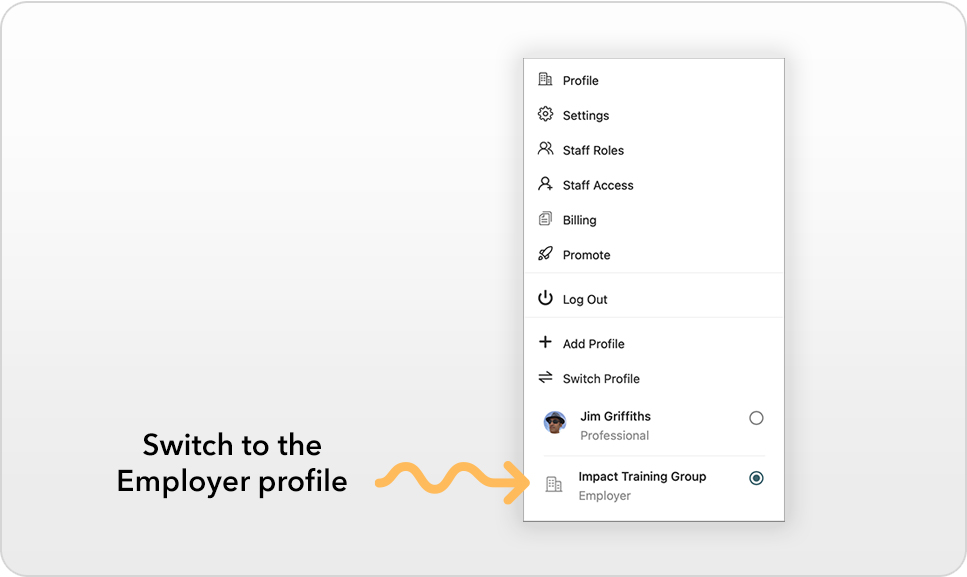
Step 1: Switch to your Employer profile
Before creating your Rapid Onboard link, make sure you're using your Employer profile.
- Click your Avatar in the top-right corner.
- Select Switch Profile.
- Choose Employer.
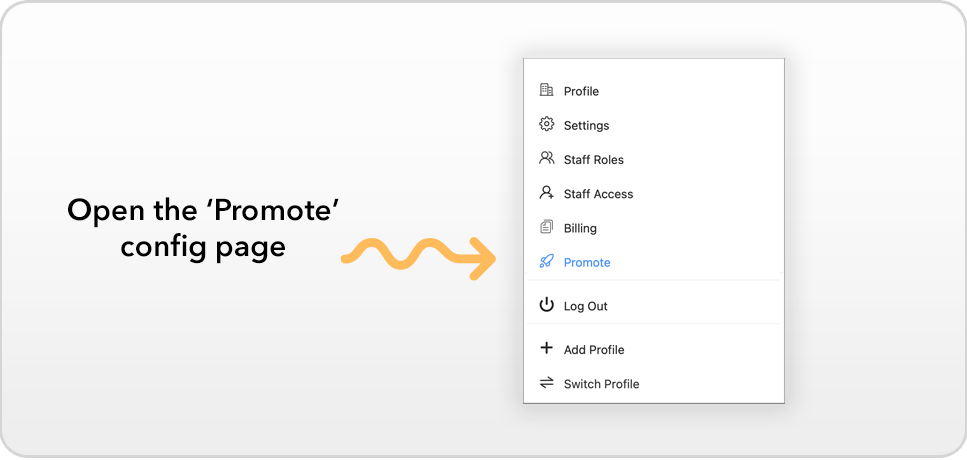
Step 2: Open the Promote page
With your Employer profile active:
- Click your Avatar again.
- Select Promote.
This page allows you to configure how new staff members are onboarded into your organisation.
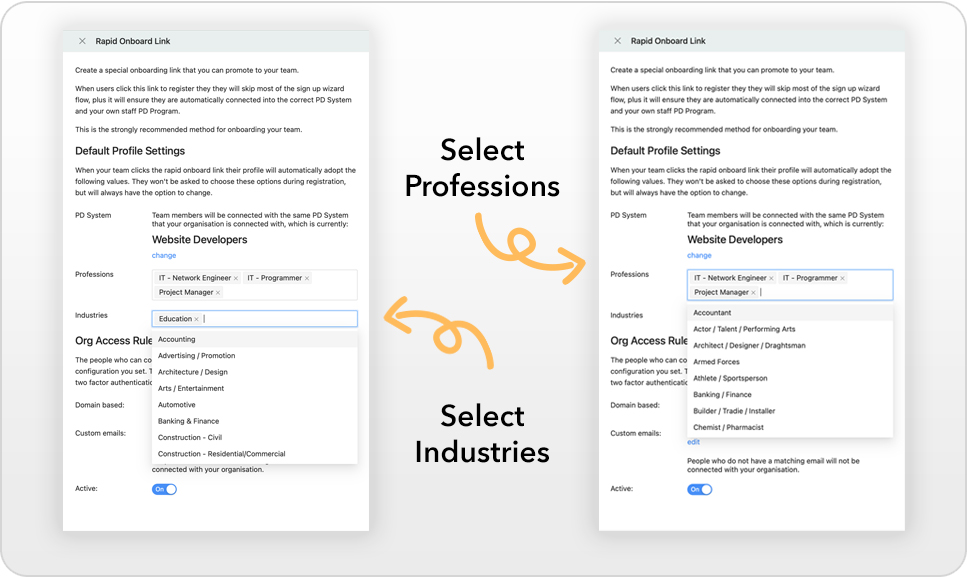
Step 3: Configure your default Profession and Industry
The Rapid Onboard link can automatically assign a Profession and Industry to new staff members during sign-up.
Selecting these values means your staff won't need to answer these questions themselves, making the onboarding process faster and ensuring everyone starts with consistent settings.
Don't worry—staff can update these settings later if their role changes or they need to customise their profile.
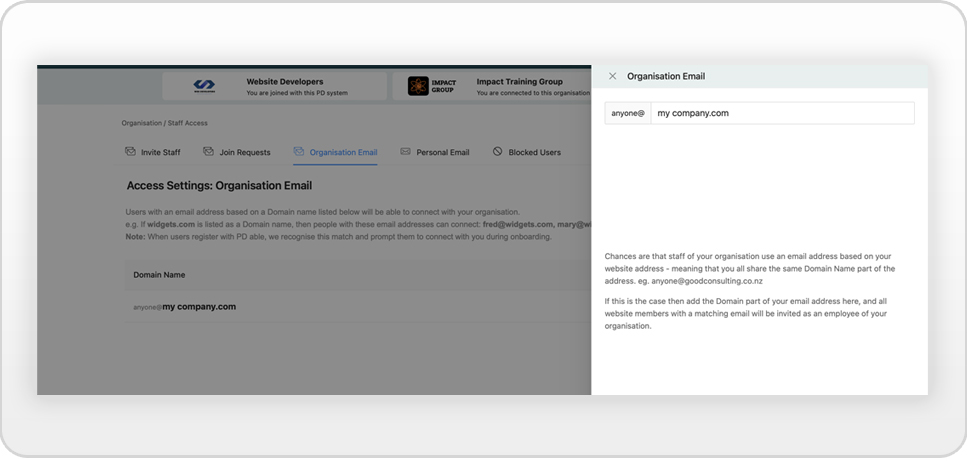
Step 4: Add your organisation's email domain
Enter your organisation's email domain, for example:
yourorganisation.com
When staff register using an email address from this domain, PD able automatically recognises them as part of your organisation.
If required, you can also add individual email addresses for staff who don't use your standard company domain.
Step 5: Activate your Rapid Onboard link
Once your settings are complete, click Make Active.
PD able will instantly generate your unique Rapid Onboard link.
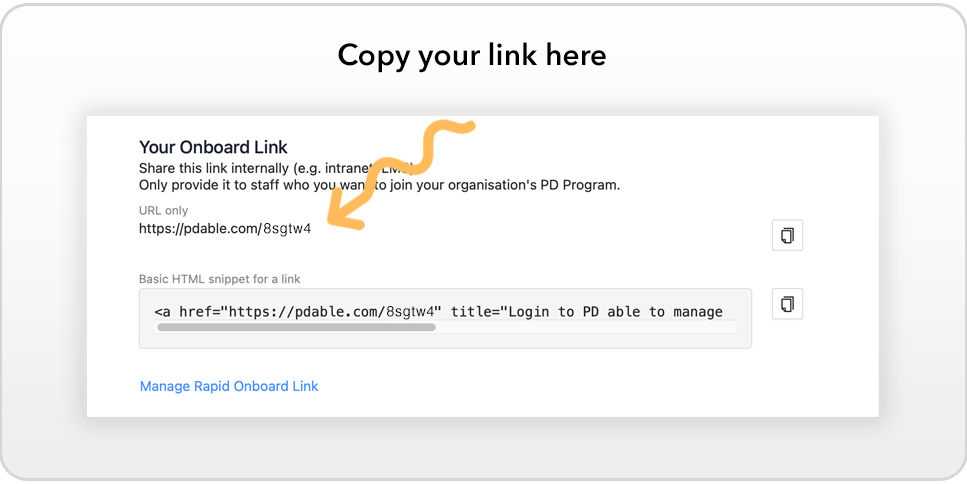
Step 6: Share the link with your staff
You're now ready to copy and share your Rapid Onboard link.
Staff who use this link will:
- Join your organisation automatically.
- Skip unnecessary setup questions.
- Start using your Professional Development system in just a few clicks.
- Be much less likely to join the wrong system or create an incorrectly configured account.
Whether you're onboarding one employee or an entire team, the Rapid Onboard link provides the quickest and easiest way to get everyone started.
Need to make changes?
You can return to the Promote page at any time to update your default settings or regenerate your Rapid Onboard link if your requirements change.